
Table of Contents
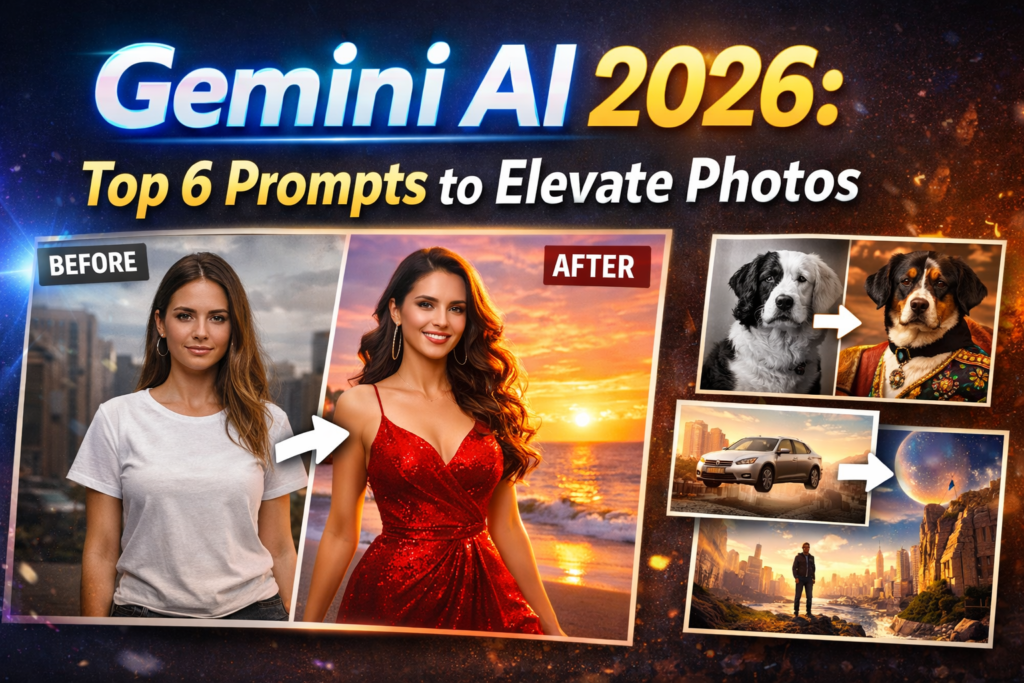
ToggleAI photo editing has completely transformed the world of photography and digital creation in 2026. With Gemini AI in particular, everyone can now give their photos a professional, high-quality look, whether it’s for social media posts or any other creative project.
“Are your photos not making the impact they should on social media or in your portfolio?
With Gemini AI in 2026, you won’t just click – you can make every photo look professional and cinematic.
Let’s explore 6 top prompts that will take your photos to the next level.”
Today, we’ll discuss the Top 6 Gemini AI Photo Editing Prompts and how they can take your images to the next level.
Gemini AI 2026 ke top 6 photo editing prompts se apni images ko next level par le jaayein, insights by digimathurreviews
1. Realistic Portrait Enhancement Prompt
What it is:
This prompt makes your portrait photos more realistic and aesthetic. AI enhances your skin tone, lighting, and details in a natural way.
How to use:
“Enhance the portrait with natural skin tone, subtle lighting, and high detail around eyes and hair for a realistic look”
Benefits:
- Facial details are more pronounced
- Skin brings out a natural glow
- Best for social media and profile pictures
Understand Note :
Let’s say you took a portrait photo and the lighting wasn’t perfect. This prompt makes it look like professional photography.
2. Cinematic Background Transformation Prompt
What it is:
With this prompt, you can completely change the background of your photo. Whether it’s a sunset, a cityscape, or dreamy clouds, Gemini AI makes it look absolutely natural.
How to use:
“Replace background with cinematic sunset over mountains, soft clouds, and vibrant colors, keeping the subject sharp”
Benefits:
- Enhances the mood and aesthetic of photos
- Gives a professional photography look
- Perfect for image storytelling
Understand Note:
If your photo has a simple background, AI will give it a cinematic look like a movie.
3. AI Color Grading Prompt
What it is:
This prompt grades the colors of images in a professional movie style. Gemini AI automatically balances and tones the colors.
How to use:
“Apply cinematic color grading with warm highlights, deep shadows, and subtle contrast for artistic effect”
Benefits:
- Photos look like professional movies
- Mood and emotion are instantly enhanced
- Perfect for Instagram, blogs, or portfolios
Understand Note:
Just like color and lighting set the mood in a film, this prompt adds that cinematic feel to your photos.
4. High-Resolution Detail Enhancement Prompt
What it is:
This prompt makes even the smallest details in your photo appear clear and crisp. The AI enhances the resolution to make the photo appear high-quality.
How to use it:
“Increase resolution and enhance fine details in texture, hair, and fabric while maintaining natural look”
Advantages:
- Best for photo prints or large displays
- Even small details are clearly visible
- Output like a professional photographer
Understand Note:
If your photo is a little blurry or low-resolution, AI makes it high-definition, enhancing every detail.
5. Artistic Style Transfer Prompt
What it is:
This prompt lets you transform your photo into any artistic style, such as watercolor, oil painting, or a cyberpunk effect.
How to use it:
“Transform image into a cyberpunk style with neon lights, vibrant reflections, and futuristic aesthetic”
Benefits:
- Great for creative projects and social media content
- Can convert a single photo into multiple different styles
- AI automatically performs style blending
Understand Note:
Just like you want your photo to be in an artist’s painting style, AI instantly converts it to that art style.
6. Mood-Based Lighting Prompt
What it is:
This prompt lets you change the mood lighting of an image. The AI adjusts shadows, highlights, and color temperature.
How to use it:
“Adjust lighting to create a warm sunset mood with soft shadows and gentle highlights”
Benefits:
- Increases the emotional impact of the photo
- Professional cinematic effect
- Useful for any social media or marketing content
Understand Note:
If the lighting in the photo was not right, the AI adjusts it to the desired mood.
Gemini AI Photo Editing Tips
- Write precise prompts: The clearer your prompt, the better the output.
- High-quality input photos: Low-res photos don’t yield the best results.
- Experiment: Try different prompts on the same photo.
- Combination prompts: Sometimes combining two or three prompts produces better results.
Final Words
In 2026, Gemini AI has made photo editing easy and accessible. The top six prompts mentioned above could be a game-changer for you. Whether you’re a social media influencer, a photographer, or simply want to take your photos to the next level, these prompts are the perfect tool for you.
With AI, not only clicking photos but also professional-grade editing has become easy and fun.
For more insights on AI-powered video editing tools, check out our detailed guide