Microsoft Copilot AI is rapidly becoming the most widely used AI productivity tool in the United States. Microsoft has deeply integrated it with Windows, Office, and the web. Its adoption has grown rapidly among business users, students, and developers in the USA. Recent updates have made Copilot smarter, faster, and more context-aware. It’s no longer just an AI that answers questions, but a complete digital assistant that can write emails, create Excel formulas, prepare presentations, and even assist with coding.
Microsoft Copilot AI has been specifically optimized for the US market to deliver superior performance in enterprise security, cloud integration, and real-time data processing. In the future, Copilot AI is set to become a core component of Windows.
At digimathurreviews, we always explain new AI technologies in simple terms. In keeping with this, today we’re telling you about the latest updates to Microsoft Copilot AI and the new features available in the USA
1. Microsoft Copilot: New AI Features for US Users
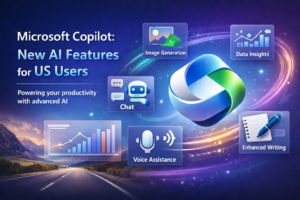
Microsoft Copilot is no longer just a chatbot; it has evolved into an intelligent assistant that automates users’ daily workflows. With the new update in the USA, Copilot is now fully integrated with Microsoft 365 apps such as Word, Excel, PowerPoint, and Outlook. This means you can get things done simply by giving commands in natural language.
Copilot can now understand your writing style to draft emails and summarize documents. Data analysis in Excel has become significantly easier as Copilot can generate formulas directly. In PowerPoint, it can automatically create slides and speaker notes.
A key feature for US users is that Copilot now adheres to business-level security and compliance standards, allowing corporate users to use it safely.
🔑 Key Features:
- AI-powered document creation
- Smart Excel data analysis
- Outlook email automation
2. Copilot Microsoft Integration with Windows 11 in USA
Copilot is deeply integrated with Windows 11. Windows users in the USA have a Copilot button on their taskbar, allowing them to access the AI assistant directly. This integration takes productivity to the next level.
Users can now perform file searches, access system settings, and control applications through Copilot. If you need to change a setting, simply ask Copilot, and it will configure it for you. This feature is especially helpful for non-technical users.
Microsoft has optimized Copilot with both cloud and local AI processing, resulting in improved speed and accuracy.
🔑 Key Features:
- Windows taskbar AI assistant
- System control through AI
- Faster file and app search
3. Microsoft Copilot AI for Office 365 in USA
Integrating Microsoft Copilot AI with Office 365 has completely transformed the way people work. Business professionals in the USA are benefiting the most from this technology. In Word, Copilot can now draft entire articles or reports for you.
In Excel, it generates complex formulas and charts. In PowerPoint, Copilot not only suggests content but also automatically recommends design layouts. In Outlook, it drafts email replies, meeting summaries, and follow-up messages.
Microsoft claims that Copilot AI can increase productivity by approximately 30%, making it very popular in the corporate sector.
🔑 Key Features:
- AI-generated Word documents
- Smart Excel formulas
- Automated PowerPoint slides
4. MS Copilot Security & Privacy Updates in the USA
MS Copilot’s new updates place a strong emphasis on security and privacy. For users in the USA, Microsoft has implemented enterprise-grade security, significantly reducing the risk of data leakage.
Copilot encrypts user data and processes it on Microsoft’s secure cloud infrastructure. For business users, it also supports compliance standards such as HIPAA and GDPR.
Microsoft has also clarified that Copilot does not store user content without permission. This has further increased user trust in this AI tool.
🔑 Key Features:
- Encrypted data processing
- Enterprise compliance support
- Privacy-focused AI design
5. Microsoft Copilot AI Download Options in USA
Microsoft Copilot AI can be downloaded and accessed on various platforms in the USA. It comes built-in for Windows 11 users, while Android and iOS users can download it as the Microsoft Copilot app.
Web users can also access it through their browser by visiting copilot.microsoft.com. Additionally, Microsoft 365 subscribers get access to advanced Copilot features.
After downloading Copilot AI, users have access to different modes such as creative, balanced, and precise mode, allowing them to customize the output style.
🔑 Key Features:
- Windows built-in Copilot
- Mobile app support
- Web-based AI access
6. Microsoft Copilot AI for Developers in the USA
For developers, Microsoft Copilot acts as an AI coding assistant. It’s different from GitHub Copilot but inspired by it. Developers in the USA are using it for debugging, code generation, and documentation.
Copilot now supports multiple programming languages such as Python, JavaScript, and C#. Its integration with Visual Studio and VS Code significantly increases coding speed.
Microsoft’s focus is on using Copilot AI to increase developer productivity and reduce the error rate.
🔑 Key Features:
- AI-generated code
- Debugging assistance
- Multi-language support
7. Copilot Microsoft for Business & Enterprises in USA
Enterprises in the USA are rapidly adopting Microsoft Copilot. The main reasons are automation and cost savings. Copilot AI assists with customer support, data analysis, and internal reporting.
HR departments are using it for job descriptions, training materials, and internal communication. Sales teams are using Copilot to generate reports and proposals.
Microsoft says that Copilot AI is poised to become a core tool of the future workplace.
🔑 Key Features:
- Business workflow automation
- AI-powered reporting
- Enterprise cloud integration
8. Future of Microsoft Copilot AI in the USA
Microsoft Copilot AI is considered to have a very promising future. Upcoming updates will include voice control, image generation, and deeper system integration. In the USA, it is being seen as a smart workplace assistant.
Microsoft’s vision is for Copilot to become not just a tool, but a personal AI companion. In the future, it will understand user habits and proactively offer suggestions.
In the AI market, Microsoft Copilot is directly competing with Google Gemini and ChatGPT. Its rapidly growing adoption in the USA is proof that Copilot AI is poised to become mainstream in the near future.
🔑 Key Features:
- Voice-based AI control
- Predictive AI assistance
- Next-generation automation
Final Words
Microsoft Copilot AI has completely transformed the way people work in the USA. It’s no longer just an AI chatbot, but a powerful productivity assistant that simplifies daily office tasks, coding, content creation, and data analysis. Tools like Microsoft Copilot, Copilot Microsoft, and MS Copilot have proven that AI is not just the future, but a part of the present.
With new updates, Microsoft Copilot AI has become even smarter, more secure, and more user-friendly. Importantly, Microsoft Copilot AI is easy to download and is available on Windows, mobile, and web platforms. This is why students, professionals, and business users are rapidly adopting it.
If you want to increase your productivity and harness the power of AI effectively, Microsoft Copilot AI could be the best choice for you. In the future, its advanced features could make it the most popular AI assistant not only in the USA but worldwide.
👉 In short: Microsoft Copilot AI = Smart Work + Time Saving + Future-Ready Technology
FAQ – Microsoft Copilot AI
1. What is Microsoft Copilot AI?
Microsoft Copilot AI is an advanced AI assistant created by Microsoft to enhance productivity. It integrates with Windows, Microsoft 365, and the web to assist with writing emails, creating documents, analyzing Excel data, and coding.
2. What is the difference between Microsoft Copilot and Copilot Microsoft?
Essentially, Microsoft Copilot and Copilot Microsoft refer to the same AI tool. Both names are used interchangeably by users, but the product is the same one officially launched by Microsoft.
3. How to download Microsoft Copilot AI?
To download Microsoft Copilot AI:
- It is built-in on Windows 11.
- On Android and iOS, the Microsoft Copilot app can be downloaded from the app store.
- Web users can access it from copilot.microsoft.com.
4. Is MS Copilot included for free with Microsoft 365?
A basic version of MS Copilot with some features is available for free, but the advanced features of Microsoft 365 Copilot require a paid subscription, especially for business and enterprise users.
5. Is Microsoft Copilot AI secure?
Yes, Microsoft Copilot AI comes with enterprise-grade security. It supports data encryption, privacy protection, and compliance standards (such as HIPAA and GDPR), ensuring user data remains secure.
6. What tasks does Microsoft Copilot AI help with?
Microsoft Copilot AI helps with the following tasks:
- Content creation in Word and PowerPoint
- Data analysis and formulas in Excel
- Email writing and summaries in Outlook
- Coding and debugging assistance
7. Is Microsoft Copilot AI useful for students?
Yes, Microsoft Copilot AI is very useful for students. It helps with creating assignments, summarizing notes, preparing presentations, and research, making learning faster and easier.
8. What is the future of Microsoft Copilot AI?
The future of Microsoft Copilot AI is considered very promising. Upcoming updates will add advanced features such as voice control, image generation, and deeper Windows integration, making it a complete AI digital assistant.
More about AI tools updates: